
Guide · Published
How to Select the Right SSD for Your Application
A practical SSD selection framework covering workload, interface, form factor, endurance, power, security, lifecycle, and qualification.
On this page
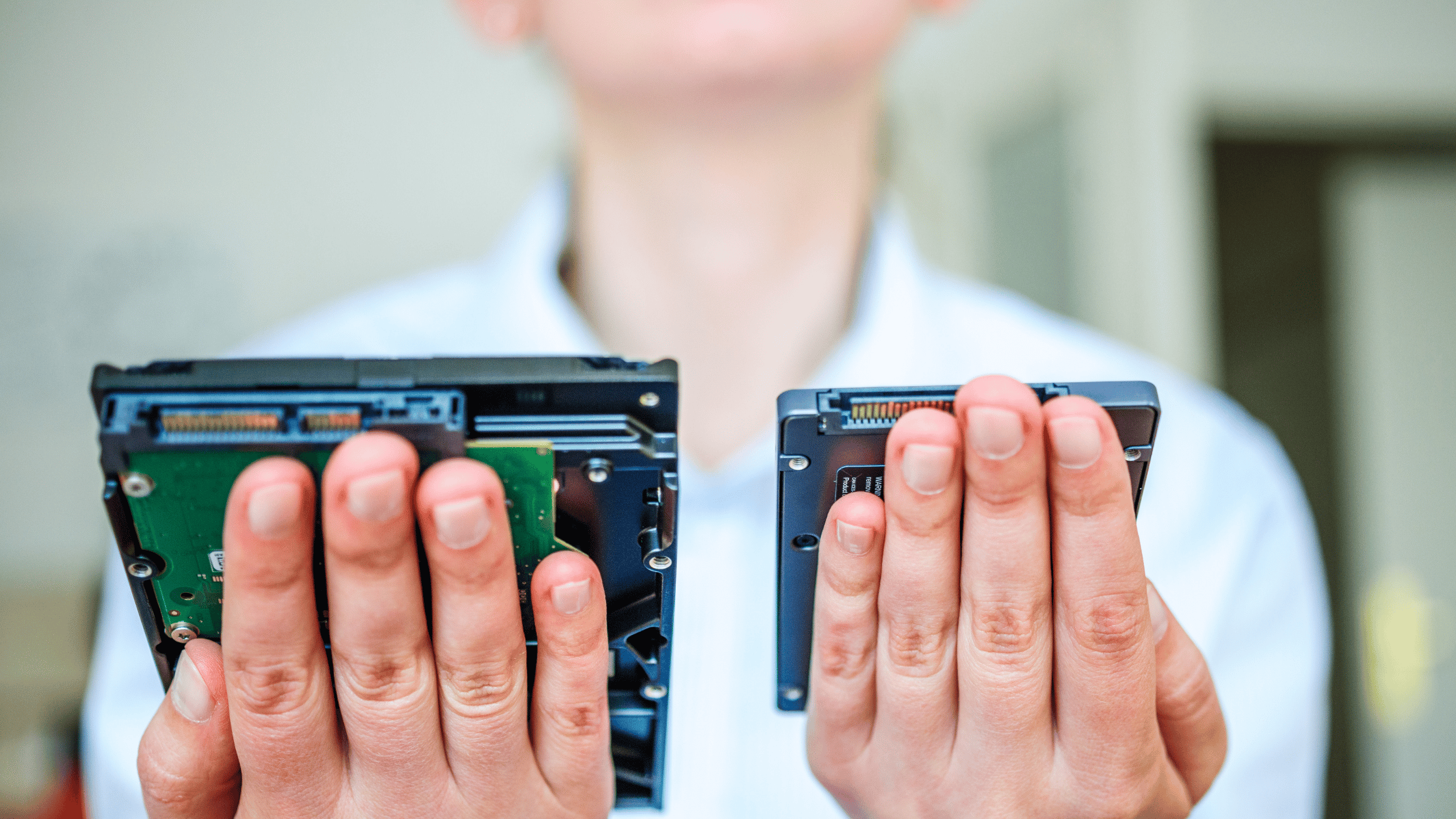
Choose a drive for the system and workload. Review the host interface, physical dimensions, endurance, capacity, power, security, and lifecycle requirements.
This guide provides a repeatable way to narrow the options. For available parts, browse Edge’s solid-state drive catalog.
1. Define the Workload
Describe what the drive will do before comparing models:
- Client computing: operating systems, business applications, workstations, and notebooks usually emphasize responsiveness, power efficiency, and compact M.2 packaging.
- Read-intensive data center: content delivery, analytics, boot, and many inference workloads often favor capacity and read performance at a lower drive-writes-per-day rating.
- Mixed-use data center: databases, virtualization, logging, and transactional workloads generally need greater write endurance and consistent latency.
- Industrial or embedded: long service life, thermal limits, controlled change, and mechanical fit can matter more than peak benchmark results.
Record the read/write mix, transfer sizes, queue depth, expected daily writes, duty cycle, and required capacity. Average throughput alone can hide the short bursts or sustained writes that determine whether a drive is suitable.
2. Confirm the Host Interface
The system must support the drive’s electrical interface and protocol.
| Interface | Common use | What to confirm |
|---|---|---|
| SATA | Existing servers and embedded platforms | SATA port availability, 6 Gb/s host support, and physical form factor |
| PCIe / NVMe | Current client and data-center systems | PCIe generation and lane count, NVMe support, boot support, bifurcation, and firmware compatibility |
A newer PCIe drive can often negotiate a lower link speed, but that does not guarantee boot, hot-plug, management, or firmware compatibility. Check the system vendor’s supported-device list and qualification guidance. For a platform-specific compatibility review, start a project with Edge.
3. Match the Form Factor and Connector
An interface name does not define the physical package. Common SSD form factors include:
- M.2: compact client, workstation, and embedded designs; length, keying, component height, and thermal solution must match the system.
- 2.5-inch SATA: widely used for serviceable SATA storage in servers and installed systems.
- U.2 and U.3: cable- or backplane-connected NVMe drives used in serviceable server bays.
- E1.S and E3.S: data-center NVMe form factors designed for density, serviceability, and thermal control.
Confirm connector, dimensions, mounting, airflow, allowable power, and hot-plug requirements. Two drives with the same capacity and protocol are not necessarily mechanically interchangeable.
4. Size Endurance Correctly
SSD endurance is usually expressed as total bytes written (TBW) or drive writes per day (DWPD) over the stated warranty period.
Estimate daily writes from the real workload, include write amplification and growth, and leave margin for unusual operating periods. A read-intensive drive can be the correct economical choice when writes are limited; a mixed-use drive is safer when sustained writes, logging, or database activity is substantial.
Endurance is not the same as expected calendar life. Temperature, workload, firmware, power conditions, and the vendor’s warranty terms also matter.
5. Check Performance Beyond the Maximum
Sequential throughput is useful for large transfers, while random IOPS and latency often matter more for operating systems, databases, and virtualized workloads. For data-center designs, also review quality of service and sustained steady-state behavior.
Compare specifications at the capacity you intend to buy. Performance and endurance frequently vary by capacity within the same series.
6. Budget Power and Cooling
Review active, idle, and peak power. A drive that fits electrically may still throttle if the enclosure cannot remove heat. This is especially important for high-performance M.2 drives and dense E1.S, E3.S, U.2, or U.3 installations.
Confirm the operating-temperature range, airflow assumptions, heat-sink requirement, and the host’s available power states.
7. Specify Security and Compliance
Write the actual requirement instead of asking for a generically “secure” drive. Depending on the program, that may include:
- a self-encrypting drive and a particular TCG specification;
- signed firmware, secure boot, sanitize behavior, or attestation;
- a FIPS-validated or FIPS-certifiable configuration;
- country-of-origin or Trade Agreements Act requirements; or
- documentation such as a statement of volatility, RoHS, or REACH declaration.
Security and country-of-origin options can be SKU-specific. Confirm the complete manufacturer part number and the required evidence before placing the order. See our TAA-compliant Micron SSD guide for the procurement checks.
8. Plan for Lifecycle and Change
For long-lived equipment, ask how the manufacturer communicates product change and end-of-life notices, whether firmware is controlled, and what qualification work a replacement would require. Do not assume that a successor part is a drop-in replacement because its connector and capacity match.
Keep the approved part number, firmware revision, qualification record, and last-time-buy process with the program’s design documentation.
9. Qualify the Exact Configuration
Before production, test the exact manufacturer part number in the target hardware and software environment. A useful qualification plan covers:
- detection, boot, and link negotiation;
- representative read/write workloads and steady-state behavior;
- power cycling, thermal limits, and error recovery;
- management, sanitize, encryption, and firmware procedures; and
- mechanical fit, serviceability, and required documentation.
A Short Selection Checklist
Bring these details when requesting a recommendation or quote:
- target system or motherboard;
- interface, connector, and form factor;
- usable capacity;
- read/write mix and estimated daily writes;
- performance and latency requirements;
- operating temperature, airflow, and power limits;
- security and compliance requirements;
- required service life and annual volume; and
- qualification schedule.
Send us the platform details. We can help compare options and coordinate compatibility questions with the manufacturer.