
Guide · Published
NVMe SSD Host Compatibility Guide
Compare host requirements for Micron 9650, 9550, and 7600 SSDs, including PCIe generation, form factor, backplane, power, and embedded-board connections.
On this page
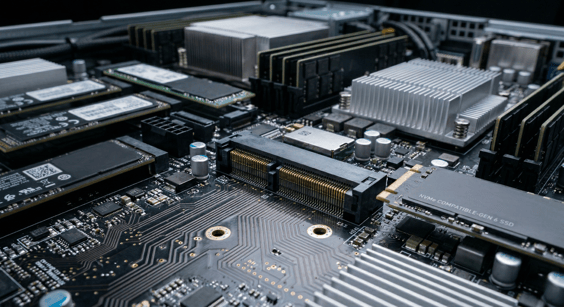
PCIe generation, form factor, and power envelope all have to align between a drive and its host. A matching PCIe generation alone does not establish that a drive will fit the connector, work with the backplane, or meet the system’s cooling requirements.
We are an authorized Micron distributor. Our field application engineer (FAE) can help compare drive options, work through platform questions with the manufacturer, and arrange samples for your team’s qualification. This guide covers Gen 6 and Gen 5 data center SSDs, then explains what to check when the host offers Gen 4 or M.2 storage.
For a full comparison of the drives themselves, see the PCIe Gen 5 and Gen 6 SSD Buyer’s Guide.
PCIe Gen 6: What the Host Ecosystem Looks Like Today
Micron’s 9650 SSD is a PCIe Gen 6 drive in E1.S and E3.S form factors. Its maximum sequential read rate is twice the 9550’s, but reaching Gen 6 speeds requires a suitable host and PCIe connection. Micron reports that the 9650 has reached mass production.
Micron’s Gen 6 ecosystem includes system and semiconductor partners. Their names alone do not identify a validated server configuration. Check the exact system, SSD, firmware, backplane, and any switches or retimers with the manufacturers. Micron’s Gen 6 system demonstration is one example of a specified combination of drives, switches, and server hardware.
Signal integrity adds another early checkpoint at Gen 6 speeds. Trace length, retimer selection, and connector quality all require attention before the design locks. Is Your Design Ready for PCIe Gen 6? covers the platform-side readiness checklist in detail.
For embedded and edge builds, check whether the existing storage connection must stay or can change. The 7600 is a PCIe Gen 5 data center drive in U.2, E1.S, and E3.S; it cannot fit directly into an M.2 socket. Consider it if your team is open to changing the storage connection, carrier, or chassis. Micron 7600 specifications.
Gen 5 Rack-Mount Builds: Micron 9550 and Supermicro
The Micron 9550 is a candidate for Gen 5 rack-mount builds. Its family includes U.2, E1.S, and E3.S options; the available capacities and PRO or MAX configurations depend on the form factor. The MAX targets mixed workloads and higher write endurance, while the PRO targets read-intensive deployments. Check the workload and exact configuration together.
| Variant | Workload Fit | Endurance |
|---|---|---|
| 9550 PRO | Read-intensive | 1 DWPD |
| 9550 MAX | Mixed-use, higher write endurance | 3 DWPD |
In October 2025, Supermicro, Intel, and Micron jointly published record-breaking STAC-M3 benchmark results. The tested configuration used six Supermicro SSG-222B-NE3X24R 2U Petascale servers, each with 24 Micron 9550 SSDs of 12.8TB.
Supermicro has a Micron NVMe compatibility guide for checking platform and drive support. A benchmark on one server does not establish compatibility with another. Confirm the exact configuration, including form factor, firmware, and thermal requirements. Our Micron FAE can help you work through those details before a design locks in.
Gen 4 Embedded and Edge Builds: Check the Board and Carrier
The boards and modules below illustrate different ways to connect NVMe storage. If the existing M.2 socket must stay, its key, length, interface, and power requirements constrain drive selection. If your team is open to a design change, we can also recommend products in other form factors and help you compare what the migration involves. For a COM Express module, the carrier board determines how the module’s PCIe lanes reach the drive. The examples below are not validated pairings with the 7600.
AAEON
- The GENE-ARH6 is a 3.5-inch industrial SBC with Intel Core Ultra processors and an M.2 2280 M-Key socket. Check the selected board’s interface and operating-temperature specifications.
- The GENE-MTH6 is a 3.5-inch SBC on Intel Meteor Lake (Core Ultra 100 series) with DDR5 memory support. Its M.2 2280 M-Key connection supports PCIe 4.0 x4 in the default configuration; AAEON also lists a SATA configuration option.
ADLINK
ADLINK’s COM Express modules expose PCIe lanes through the carrier board, so the NVMe storage path depends on both the module and the carrier.
- The cExpress-R8 is a COM Express Type 6 Compact module on AMD Ryzen Embedded 8000 processors, with PCIe Gen 4 lanes available through the carrier connection.
- The Express-VR7 is a COM Express Type 7 module on AMD Ryzen Embedded V3000 processors, with PCIe Gen 4 lanes and an extreme-rugged option rated from -40°C to 85°C.
Have questions? Contact us today to speak with our in-house FAE.
Confirming Fit Before You Commit
Compare the drive’s workload characteristics with the actual storage connection:
- The 9550 for performance-focused Gen 5 data center applications
- The 7600 for mainstream Gen 5 data center applications with U.2, E1.S, or E3.S connections
- The 9650 for applications that can use a qualified Gen 6 storage configuration.
Our Micron FAE can recommend product options, including migrations that need a design change. Tell us which requirements are fixed and which your team can revisit. We can help explain the differences, work through prototype questions with the manufacturer, and arrange samples. Your team qualifies the selected drive in its application. Send us your platform and workload requirements.
Frequently Asked Questions
What host platforms currently support the Micron 9650?
Check the exact server or platform configuration with Micron and the system manufacturer, including the SSD, firmware, backplane, and PCIe connection. A manufacturer’s participation in the Gen 6 ecosystem does not establish support for every system it sells.
Can I use a PCIe Gen 5 SSD in a Gen 4 host platform?
The PCIe link can negotiate an earlier generation, as explained in PCI-SIG’s compatibility guidance. The drive must also match the system’s connector, power, firmware, and cooling requirements. A Gen 4 connection limits interface bandwidth; it does not mean every workload will run at half the drive’s advertised performance.
What is the difference between E3.S and M.2 form factors?
E3.S is an EDSFF specification designed for high-density rack-mount deployments. It uses a different connector and backplane than M.2 and supports the higher power envelopes that Gen 5 and Gen 6 enterprise drives require.
M.2 is common in embedded and client platforms. Its key, length, supported interface, and PCIe generation depend on the board. E3.S and M.2 are different mechanical formats; a drive cannot be inserted directly into the other format’s socket.
How do I check NVMe support on an AAEON board or ADLINK module?
Read the storage and expansion specifications for the exact board. For a COM Express module such as the cExpress-R8 or Express-VR7, check the carrier’s connector, lane routing, and supported PCIe speed as well. The 7600 has no M.2 option. Evaluating it for an M.2-based design means considering a change to the storage connection and qualifying the resulting configuration.
What should I check about the Micron 7600’s power requirements?
Check the selected capacity’s power requirements and the supported NVMe power-management settings. Lowering a power limit can affect performance. It does not change the drive’s form factor, voltage requirements, or the cooling your system must provide. Use the 7600 technical specification when planning those limits.